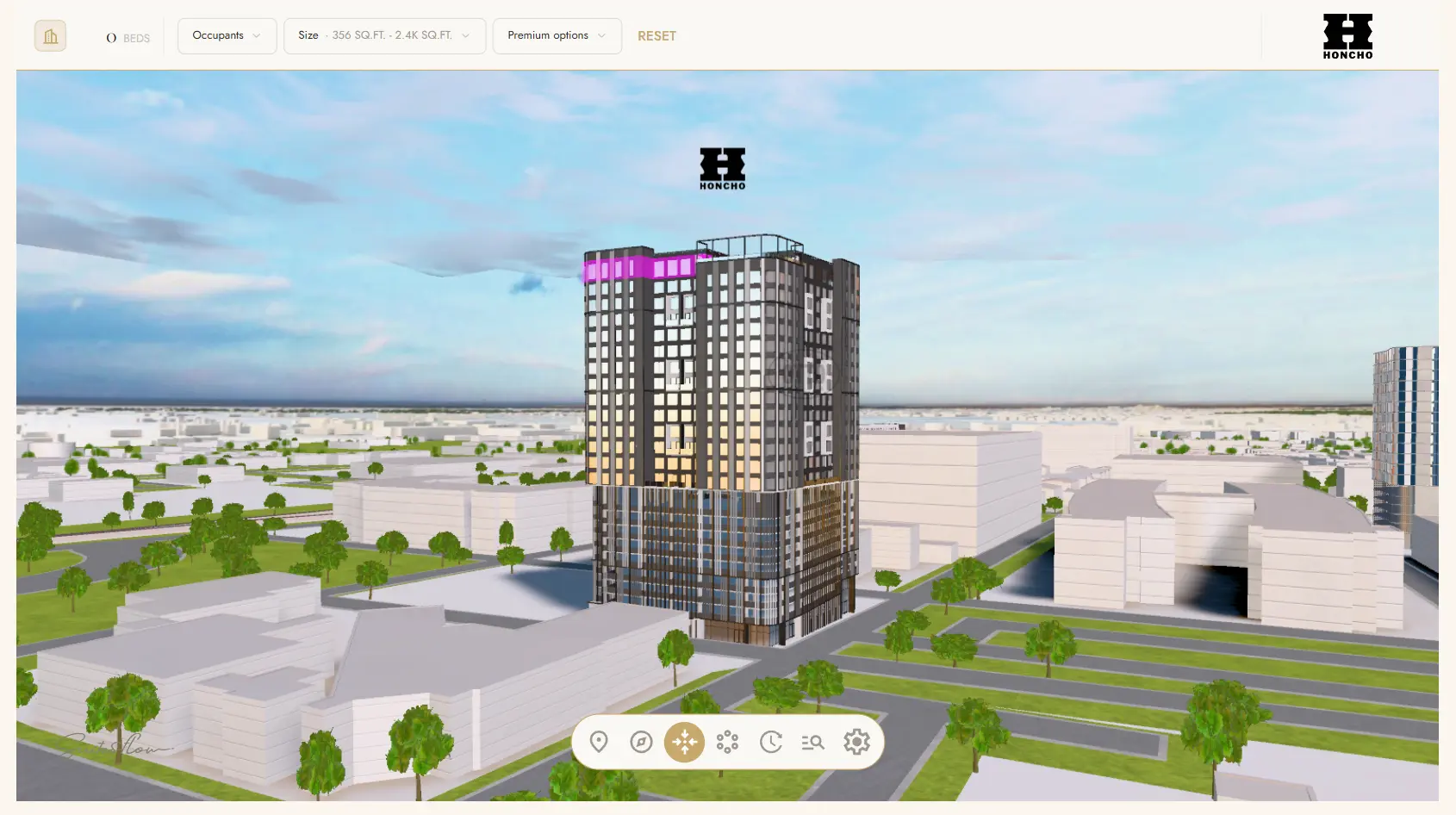
You might be wondering what Suitesflow is and why it’s so important to understand.
If you are a student or a parent looking for housing—especially if it’s a property opening the following year—the building usually isn’t suitable to tour on-site. Because of this, it’s important that a community provides useful, helpful resources so you can get the best possible view of the property without being there in person.
Honcho does this in many ways. We bring the furniture, flooring, and textiles of your future home into our office. Our leasing office is currently designed to replicate our official front desk, and we’re already creating a space and community that will simply change location come Fall 2027.
While that’s great, you might be wondering, “Is that it?” I’m glad to say it’s not. Honcho utilizes an application called Suitesflow to give you a digital walkthrough experience of our community—from our front doors to different units to our exclusive amenities. Suitesflow allows us to give you the most accurate representation of our building of anything else available. Honcho is currently the only property in College Station that uses such an exclusive community rendering site.
If you’ve come into our office, we’ve most likely guided you through it. If a busy schedule is keeping you from coming in person for a tour, we also offer digital tours. But if you’d like to explore the property on your own, here’s your guide to accessing and using Suitesflow:
- Go to the Honcho website: www.livehoncho.com
- Click on the menu tab in the top right corner.
- On the dropdown, select the “Floor Plans” option.
- Once you are on the Floor Plans page, select “Site Map.”
- This will take you directly to Suitesflow!
Once you’re in Suitesflow, there’s so much to explore. Here are a few important things to keep in mind:
When you hover over the Honcho building, clicking on a specific unit will show you which units sit in that part of the building. As you hover over the building, some areas will light up green, red, or pink. Pink means those are amenities—if you click on one, you can walk through those amenities. Green means that unit is available for leasing, and red means that unit has already been leased and is unavailable. The best part about this setup is that you can pick your exact unit when you come with roommates! This gives you and your group the opportunity to see where you want to be within the building and decide what your next year will look like at Honcho.
Once you click on a unit, a small window will open. It will give you details on the unit’s floor plan, how many people the unit sleeps, the specific unit number, the square footage, and a preview of the layout. For some of our units, it will also allow you to walk through the unit as if you were walking on-site.
Experience a new property like never before! Come tour at Honcho!